10 Must-Have Audio Visual Tools That Instantly Boost Your Content Quality
You’ve got great ideas, engaging scripts, and a growing audience—yet something still feels… off. Maybe your sound isn’t crisp enough. Maybe your visuals lack that professional touch. Or maybe your editing process is taking way too long.
Want Better Content? It Starts with the Right Tools
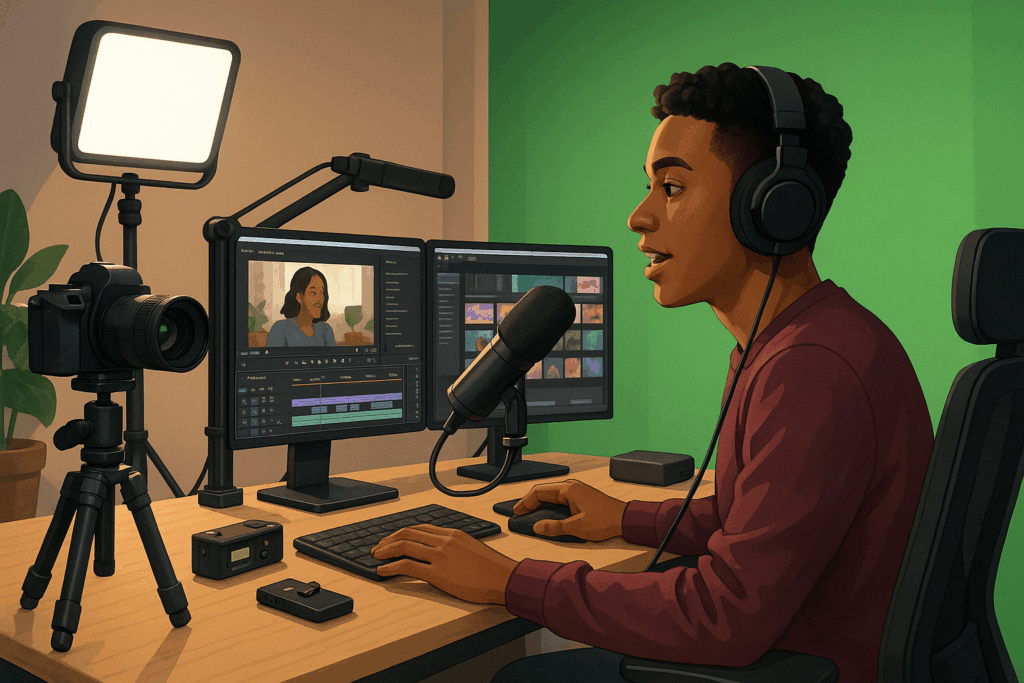
If any of this sounds familiar, you’re not alone. Even the most talented creators hit a ceiling—until they upgrade their gear. The truth is, high-quality content isn’t just about talent or creativity—it’s also about using the right tools.
In this article, we’ll explore 10 must-have audio visual tools that can instantly level up your content. Whether you’re a YouTuber, podcaster, teacher, or digital marketer, these tools are game-changers.
1. High-Quality Microphone: Because Clear Audio Is Non-Negotiable
Let’s be honest—bad audio kills good content. Viewers might tolerate low-res video, but muffled sound? Not a chance.
Tool Recommendation:
- Rode NT-USB (for beginners and pros alike)
- Shure SM7B (industry standard for podcasts and voiceovers)
Why It Matters:
Clear audio builds trust and keeps your audience engaged. Especially in tutorials or vlogs, your voice is the main connection point.
2. LED Lighting Kit: Light Like a Pro Without the Price Tag
Poor lighting can make even the best camera look bad. Good lighting? It flatters your face, sharpens your background, and makes your whole setup look legit.
Tool Recommendation:
- Neewer 660 LED Video Light Kit
- Elgato Key Light Air for compact setups
Quick Tip: Use a 3-point lighting setup (key light, fill light, backlight) for a cinematic effect.
3. Mirrorless or DSLR Camera: Say Goodbye to Blurry Videos
Sure, your phone can record in 4K—but a dedicated camera gives you depth, clarity, and control that phones can’t match.
Tool Recommendation:
- Sony ZV-E10 (built for content creators)
- Canon EOS M50 Mark II (lightweight, excellent autofocus)
Pair with a good lens for a professional-looking bokeh effect.
4. Portable Audio Recorder: Clean Sound, Anywhere You Go
If you’re filming interviews, documentaries, or outdoor scenes, don’t rely on your camera’s built-in mic. Use a portable recorder for clean, isolated sound.
Tool Recommendation:
- Zoom H4n Pro
- Tascam DR-40X
Bonus Use: These recorders double as audio interfaces for podcasting.
5. Green Screen Kit: Unlock Infinite Creative Backgrounds
Want to place yourself in a newsroom, a forest, or even space? A green screen lets you replace your background with anything.
Tool Recommendation:
- Emart Green Screen with Stand
- Paired with OBS Studio or Final Cut Pro for chroma key effects
Use it for gaming streams, explainer videos, or cinematic storytelling.
6. External Monitor: Bigger Screen, Better Editing Precision
Editing on a laptop screen? You’re missing out. An external monitor helps you color grade accurately, edit faster, and spot fine details.
Tool Recommendation:
- BenQ PD2700U 4K Monitor (accurate color for creatives)
- LG UltraFine 5K for Mac users
Why It Works: A good monitor prevents color and exposure surprises after publishing.
7. Audio Interface: Crystal-Clear Sound Input for Voice and Music
An audio interface connects your XLR mic to your computer while delivering clean, interference-free audio.
Tool Recommendation:
- Focusrite Scarlett 2i2
- Behringer UMC22 (budget-friendly)
Ideal for podcasters, musicians, and voiceover artists.
8. Video Editing Software: Where All the Magic Happens
Even with great footage, your content won’t shine without a solid editing platform.
Tool Recommendation:
- Adobe Premiere Pro (industry leader)
- DaVinci Resolve (powerful and free)
- Final Cut Pro X (Mac-exclusive powerhouse)
Look for features like multicam editing, keyframing, LUTs, and audio sync.
9. Teleprompter App or Device: Speak Smoothly Without Memorizing Lines
If you struggle with remembering scripts or ramble off-topic, a teleprompter keeps you concise and confident.
Tool Recommendation:
- PromptSmart Pro (voice-tracking app)
- Desview T2 Teleprompter (physical device for phones or DSLR)
Ideal for courses, explainer videos, and business content.
10. Wireless Lavalier Mic: Go Hands-Free with Freedom to Move
Perfect for vloggers, presenters, and interviewers who need mobility without sacrificing sound quality.
Tool Recommendation:
- Rode Wireless GO II
- DJI Mic
Great for on-the-go content, talking head videos, and dynamic shooting angles.
Conclusion: Your Gear = Your Edge
In the world of content creation, quality stands out—and these tools give you the edge you need to shine. You don’t have to buy them all at once. Start with what your current setup is missing the most—better audio, lighting, or video—and build from there.
Remember, you’re not just creating content. You’re creating experiences. And with the right audio visual tools, those experiences become unforgettable.